

Make the Pasta helps you organize your thoughts.
One place for everything you are trying to do, so ideas stop getting lost. A person made it for you. One-time $20, no subscription.
One board for everything you are trying to do.
Each card is one move, sorted by where it actually stands — so you can always see what to do next.
Every target carries its own six-question labels — Who, What, Where, When, Why, and How — so you always know the context at a glance.
What is Make the Pasta?
Write down what you want. Write down the moves that get you there. Then do them.

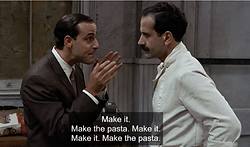
Stanley Tucci and Tony Shalhoub in Big Night (1996)
What isn't Make the Pasta?
It's not Todoist.
It's the step before you're ready for that.
Todoist is great for executing recurring tasks. Make the Pasta is where you figure out what those tasks should even be — before you're ready to schedule them.
Read why human-driven beats AI tools →How does it work?
Name the outcome. List the moves. Keep both visible.
An Ambition is the outcome you want. A Target is one move that gets you closer to it. The lifecycle is just where that move stands today — waiting, ready, done.
Six questions keep every target findable months later. You answer them yourself; the app records what you put down and never guesses for you.
Learn the method in full"What ambition do you want to work through? You can name one from your workspace or just describe it."
I'm trying to launch a coloring book but I keep stalling.
"What's the one thing that, if finished, would make the rest feel easier?"
It doesn't think for you. It asks the right questions.
The Sous Chef keeps your judgment in charge.
Open the Sous Chef from any workspace view and describe what you're stuck on. It asks questions — the kind that help you separate the outcome you want from the next move you can make. You do the thinking; it keeps the conversation moving.
It never writes your targets for you. The thinking is the work, and you're the one doing it. The Sous Chef just makes sure you're asking the questions that matter.
Try it with 3 free exchanges

Who is Make the Pasta?
Me is Make the Pasta. I am Make the Pasta.
I needed a way to keep ideas findable, useful, and easy to resume after time away. I made the system literal: separate the desired outcome from the concrete change, then keep the next move visible.
I wrote this blog post in 2024 to describe how I manage complicated enterprise software design projects. The bones of that method are in this app — I took out the parts that aren't needed for most uses, and simplified it a bunch.
See my method in practice.
I'm sharing the workspace so you can see how the method holds real context, from ambitions and targets to the questions that keep a project findable.
I built it so I wouldn't have to remember anything.
I developed this method to prevent me from having to remember anything. I don't have to remember what I'm doing as long as I write stuff down, and I don't even have to remember how to write stuff down — because I already did that when I made the app. All I have to do is point my eyeballs at the screen and do whatever I wrote down last time.
When is Make the Pasta?
Built on a system forged in real work.
Your workspace is here whenever you sit down to it — current, organized, and yours.
This app is under active development, and your feedback will shape its future.
Send feedback as you use it
Let’s make the pasta together.
Where is Make the Pasta?
Start here. Carry it anywhere.
Use the workspace until the method becomes instinct. Then take it to Notion, a notebook, or Trello — the thinking travels, even if the app doesn't.
See how to carry it into Notion, a notebook, or TrelloWhy is Make the Pasta?
Why not just use a spreadsheet — or a chatbot?
Because a blank sheet doesn't tell you which of your forty ideas is an outcome and which is an action. That's the part people get stuck on, and it's the part this app is built around: name the outcome, list the actions, and see where each one stands.
The method works anywhere — in here, on paper, or in whatever tool you already use. And it's a one-time $20: the workspace stays yours, with no subscription and no lock-in.
Learn the method for free

"I just think they're neat" — Marge Simpson
Share a workspace, keep your judgment.
Your method, multiplied.
Create a shared workspace from the switcher in the nav and invite collaborators by email. Everyone in the workspace sees the same ambitions, targets, and labels — and can add to them together.
Your personal workspace stays separate. Switch between them any time. The method stays yours; the shared space just lets more hands move the pasta.
See what comes with a workspaceTwo ways to get it. Print the method and do it by hand for whatever you want to pay, or buy the workspace and let the app hold your ambitions, targets, and labels.
The printables library
My Ambition on the front and your Targets sorted by the six questions on the back, the day themes focus sheet, and your label inventory. Choose your price, download instantly, and print as many copies as you need — minimum $0.50 per printable.
- The Method Worksheet — ambition and targets, two pages
- The Day Themes Printable — one page, seven days
- My Labels Printable — six sections, one per question
- New pages added as the method grows
Your private workspace
A one-time payment opens your private workspace. Your data stays yours — export anytime.
- Unlimited ambitions and targets
- Six-question labeling framework
- Export — keep your stuff
- Concept map import via photo
- Day theme calendar view
- Your Sous Chef smart/dumb assistant
- Access to private Facebook group
- Private coaching
Your data is yours.
Your data is yours. It's not viewed, used, sold, or touched — and it's yours to take with you or delete.
Not viewed, used, sold, or touched.
Yours to take with you — export anytime.
Yours to delete whenever you want.